Japan SIM Card at Narita and Haneda: Where to Buy and What It Costs
Where to buy a Japan SIM card or data eSIM at Narita and Haneda airports: counter floors and hours, a ¥4,500 week of data, and what to do after a late landing.
¥4,500 is what KDDI charges for seven days of unlimited data on its povo Japan SIM Prepaid Card, sold at the Lawson convenience store in Haneda Terminal 3 and at two Lawson stores in Narita Terminal 1 (as of November 2026). Its 3GB, 7-day card costs ¥2,200. Those are the published prices to compare against before you queue at a rental counter. The airport counters give you a staffed desk and a physical SIM or pocket Wi-Fi in hand, while a convenience-store card trades the desk for a lower price and a few rules you need to know in advance. This guide starts with the three mistakes that cost visitors the most time, then lists every counter by terminal with its official hours.
What are the most common SIM card mistakes at Narita and Haneda?
The three that cause the most trouble are a locked phone, a late landing and expecting a phone number. Each one can leave you standing in the arrivals hall with no data, so check them before you fly.
Mistake 1: Arriving with a carrier-locked phone
A Japanese SIM will not connect on a phone that is locked to your home carrier. SoftBank states that its Prepaid SIM for Travel works only with SIM-lock-free devices. Unlocking is done by your home carrier, so ask for it before departure. If you plan to use an eSIM, also confirm that your phone model supports eSIM; povo publishes a compatible device list on its site.
Mistake 2: Landing late and expecting instant activation
Counter hours and activation hours are not the same. The povo Japan SIM card is sold at Lawson, but KDDI says the eSIM can only be issued between 9:30 and 20:00 JST. If you start after 20:00, activation is completed from 9:30 the following morning. On a late arrival, that means a night without data unless you also pick up a pocket Wi-Fi or a physical SIM at a counter that is still open.
Mistake 3: Expecting a phone number
Tourist SIMs sold at the airports are generally data only. povo’s Japan SIM is listed as “data only (No SMS/calls)”, and SoftBank says voice calling is not available on its Prepaid SIM for Travel. If a hotel or restaurant needs to reach you, give them a messaging app contact or your home number.
How do you get a SIM card at the airport, step by step?
Unlock your phone at home, decide on SIM, eSIM or pocket Wi-Fi, and then go to the counter in your arrival terminal after customs. Here is the order that avoids most problems:
- Before you fly: unlock the phone and check eSIM support. Do this with your home carrier. It is the step most likely to stop you at the counter.
- Choose the format. A physical SIM needs a SIM tray and an unlocked phone. An eSIM needs an eSIM-capable phone and, for povo, an activation between 9:30 and 20:00 JST. A pocket Wi-Fi works with any phone and can be shared by a group, but you carry and return a device.
- Go to the arrivals area. Narita says all its counters are in areas before departure passport control (Terminal 2 also has GPA vending machines on 2F before customs), and at Haneda Terminal 3 the counters are on the 2F Arrival Lobby.
- Check the counter hours for your arrival time. Use the table below. If you land late, head for the counters that open latest, or the vending machines.
- Bring your passport and a card. SoftBank, for example, requires a photo of your original passport to sign up, and povo asks you to set up a credit card during account creation.
- Set up before you leave the terminal. Insert the SIM or install the eSIM while you are still on airport Wi-Fi. For povo, KDDI says the sign-up runs on the “JapanSIM-Entry” Wi-Fi network.
Where are the SIM card counters at Haneda Airport?
At Terminal 3, the international terminal, the SIM and Wi-Fi counters are together on the 2F Arrival Lobby. Hours below are from the Haneda Airport official page, as of November 2026.
Mobile Center Haneda Airport 2F Arrival Lobby (Telecom Square)
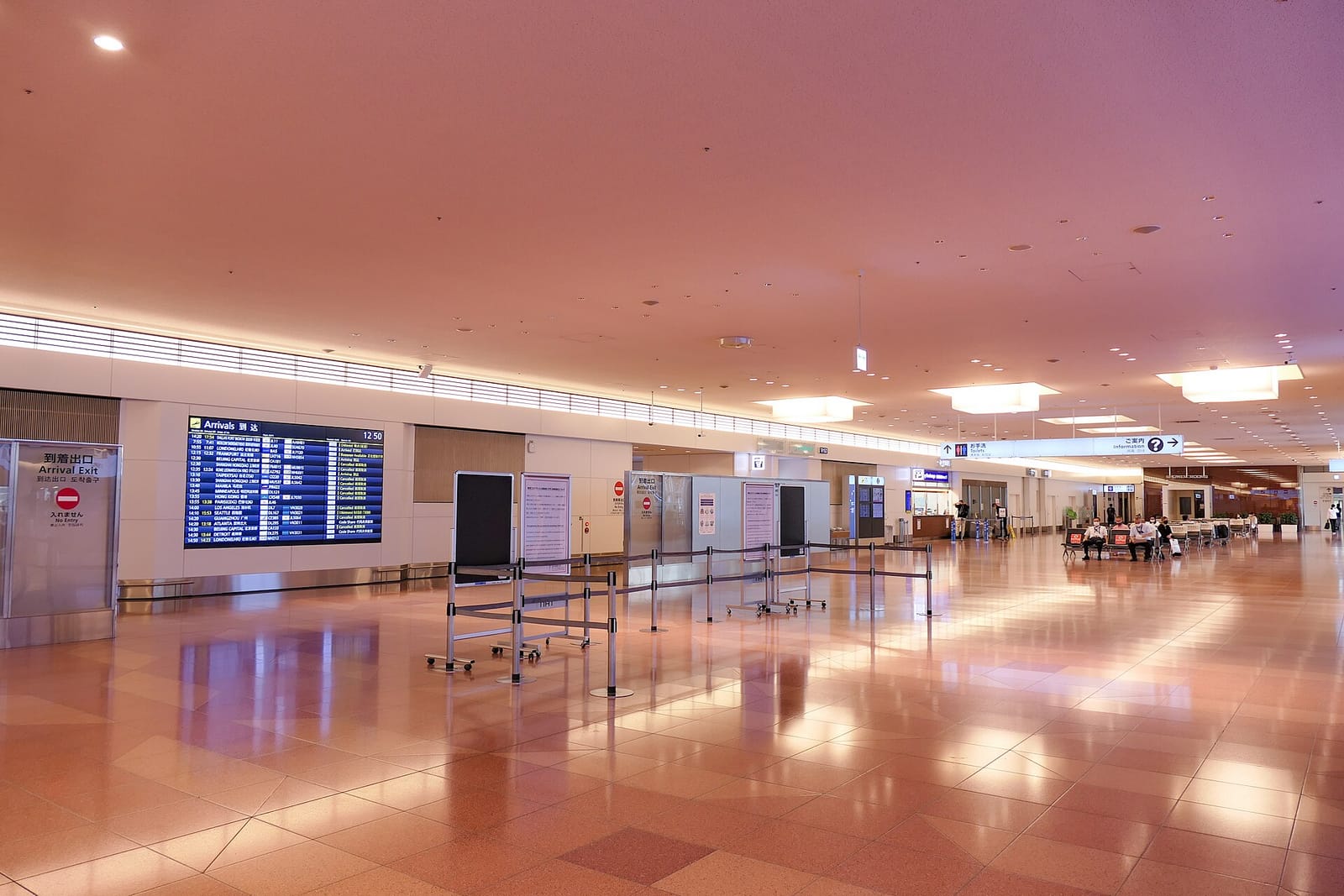
Telecom Square runs this counter in the arrivals hall of Terminal 3. Haneda lists it under Wi-Fi rental and SIM services. A 24-hour unmanned Wi-Fi rental service is available in front of the store, which makes it the clearest option on the airport’s list if your flight lands after 23:00. The same operator also has a store on the 3F Departure Lobby (6:30–23:00).
- Hours
- 6:30–23:00 (as of November 2026)
- Access
- Haneda Airport Terminal 3, 2F Arrival Lobby
- Source
- tokyo-haneda.com
AnyFone JAPAN Counter Haneda Airport International Terminal
Also on the 2F Arrival Lobby, AnyFone JAPAN lists rental and prepaid SIM services from 6:00 to 23:00. Its prepaid smartphone service has shorter hours, 10:00 to 20:00, so plan around that if you need a handset rather than a SIM.
- Hours
- 6:00–23:00; prepaid smartphone service 10:00–20:00 (as of November 2026)
- Access
- Haneda Airport Terminal 3, 2F Arrival Lobby
- Source
- tokyo-haneda.com
LAWSON Haneda Airport Terminal 3
KDDI lists this Lawson as one of the stores that sells the povo Japan SIM Prepaid Card. Each card’s term runs from the date of purchase, and KDDI says no returns, refunds or reissues are allowed, so buy it on the day you need it. The eSIM is issued only between 9:30 and 20:00 JST.
- Price
- povo Japan SIM card: ¥2,200 (3GB/7 days), ¥3,800 (10GB/30 days), ¥4,500 (unlimited/7 days), as of November 2026
- Access
- Haneda Airport Terminal 3, 2-6-5 Haneda Airport, Ota-ku
- Source
- povo.jp
If you fly into Terminal 2 instead, Haneda lists J WiFi & Mobile / GLOBAL WiFi on the 2F International Arrival Lobby (5:45–23:00) and a Mobile Center on the 3F Departure Lobby (International) (7:00–22:00). Terminals 1 and 2 also have AnyFone JAPAN vending machines (5:00–24:00), and a WiFiBOX unit sits on the Terminal 1 2F Departure Lobby (North).
Where are the SIM card counters at Narita Airport?
Narita has counters and vending machines in all three terminals, and every one of them is before departure passport control. Hours below are from the Narita Airport official page, as of November 2026.
JAL ABC counter, Narita Terminal 1 (1F)
JAL ABC has a counter on 1F of both the North and South Wings of Terminal 1. Its closing time is tied to the last international arrival rather than a fixed hour, so it is the safest staffed option on a late flight into Terminal 1. Other operators on 1F of the Central Building, including AnyFone JAPAN, XCom Global, J WiFi & Mobile, SoftBank Global Rental and Telecomsquare, open 07:00–21:00.
- Hours
- 06:30 to one hour after the last international arrival (as of November 2026)
- Access
- Narita Terminal 1, North Wing 1F and South Wing 1F
- Source
- www.narita-airport.jp
JAL ABC counter, Narita Terminal 2 (1F)
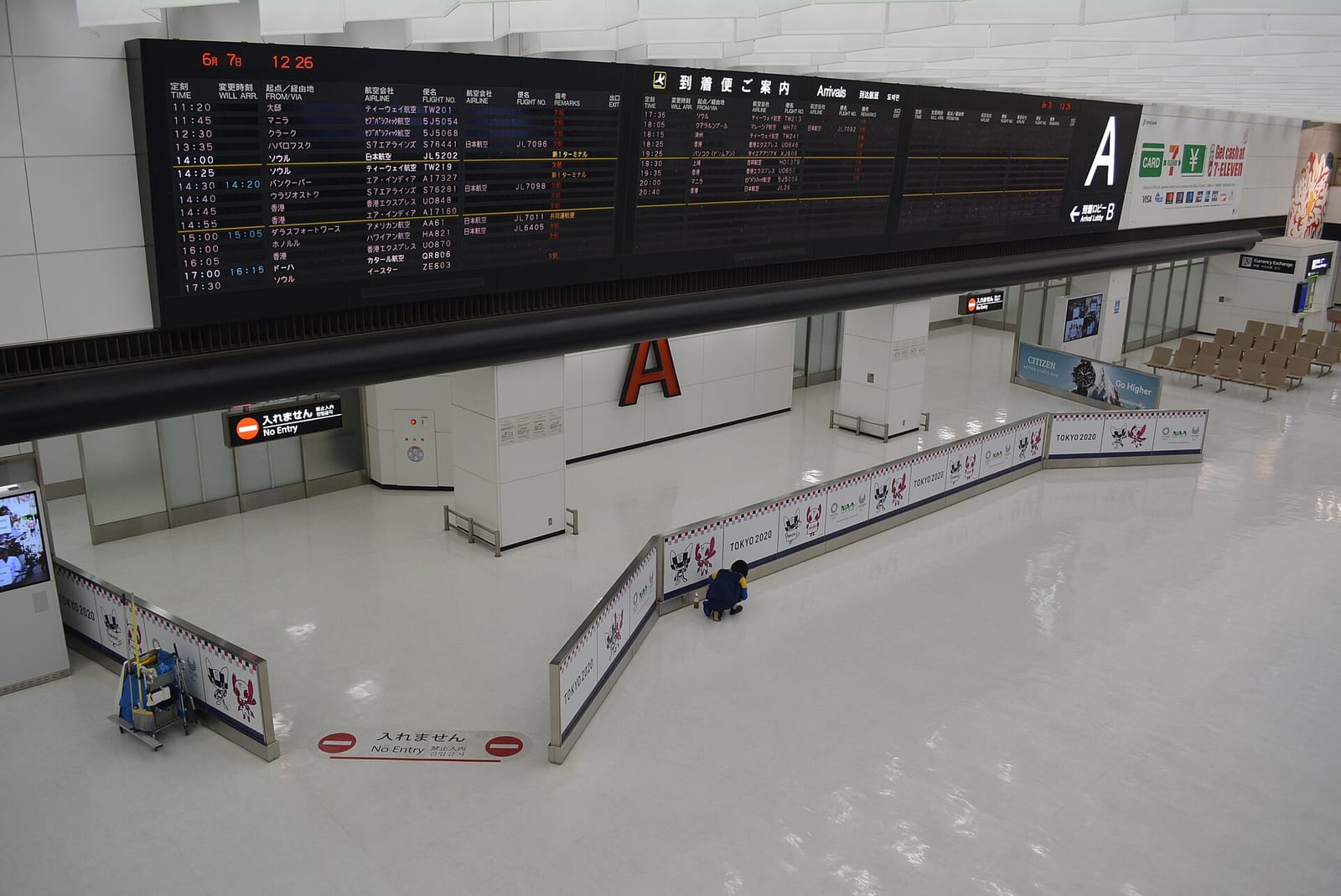
Terminal 2’s JAL ABC counter keeps the same late hours as Terminal 1’s. On the same floor you will find AnyFone JAPAN, J WiFi & Mobile and SoftBank Global Rental (07:00–21:00) and two GPA SIM card vending machines. Narita also lists four more GPA vending machines on Terminal 2’s 2F, in the area before customs.
- Hours
- 06:30 to one hour after the last international arrival (as of November 2026)
- Access
- Narita Terminal 2, Main Building 1F
- Source
- www.narita-airport.jp
J WiFi & Mobile, Narita Terminal 3 (1F)
Terminal 3 has a single staffed counter on Narita’s list, plus one GPA SIM card vending machine on 1F. If you land outside counter hours, the vending machine is the option on site.
- Hours
- 07:00–21:00; smart pickup 06:00–20:30 (as of November 2026)
- Access
- Narita Terminal 3, Main Building 1F
- Source
- www.narita-airport.jp
Narita Terminal 1 also has two Lawson stores that sell the povo Japan SIM Prepaid Card, on the 5th floor and the 1st basement floor, according to KDDI.
Which counters are open when you land?
Match your arrival time and terminal to the table. All hours are from the airports’ official pages, as of November 2026; check them again close to your trip.
| Airport and terminal | Counter or machine | Floor | Hours |
|---|---|---|---|
| Haneda T3 | Mobile Center (Telecom Square) | 2F Arrival Lobby | 6:30–23:00; 24-hour unmanned Wi-Fi rental in front |
| Haneda T3 | AnyFone JAPAN | 2F Arrival Lobby | 6:00–23:00 |
| Haneda T3 | Mobile Center (Telecom Square) | 3F Departure Lobby | 6:30–23:00 |
| Haneda T3 | XCom Global | 3F Departure Lobby | 6:30–22:30 |
| Haneda T2 | J WiFi & Mobile / GLOBAL WiFi | 2F International Arrival Lobby | 5:45–23:00 |
| Haneda T1 / T2 | AnyFone JAPAN vending machine | B1F | 5:00–24:00 |
| Narita T1 | JAL ABC | North and South Wing 1F | 06:30 to 1 hour after last international arrival |
| Narita T1 | AnyFone JAPAN, XCom Global, J WiFi & Mobile, SoftBank Global Rental, Telecomsquare | Central 1F | 07:00–21:00 |
| Narita T1 | Rakuten Mobile | Central 4F | 08:00–20:00 |
| Narita T2 | JAL ABC | Main Building 1F | 06:30 to 1 hour after last international arrival |
| Narita T2 | AnyFone JAPAN, J WiFi & Mobile, SoftBank Global Rental | Main Building 1F | 07:00–21:00 |
| Narita T3 | J WiFi & Mobile | Main Building 1F | 07:00–21:00 |
| Narita T1 / T2 / T3 | GPA SIM card vending machines | T1 South and Central 1F; T2 1F and 2F; T3 1F | Hours not listed |
SIM card, eSIM or pocket Wi-Fi: which should you pick?
Pick a SIM or eSIM if you travel alone with an unlocked phone, and a pocket Wi-Fi if you are a group or your phone is locked. The difference is mostly about who carries what:
- Physical SIM: One phone, one SIM. You keep your home SIM safe for the trip home. Needs an unlocked phone with a SIM tray.
- eSIM: Nothing to carry, and your home SIM stays in place. Needs an eSIM-capable, unlocked phone. With povo, the eSIM is issued only between 9:30 and 20:00 JST.
- Pocket Wi-Fi: Works with locked phones and several devices at once. You charge it every day and return it before you fly.
Once you are online, the next steps are usually transport and cash. If you land at Narita, see how to get from Narita Airport to Shinjuku. Leaving from Haneda, the Shinjuku to Haneda limousine bus guide covers the bus. For trains, our guide to buying a Suica in Shinjuku explains the IC card, and currency exchange in Shinjuku covers getting yen after you arrive.
What to pack before you go
Maps, train apps and translation drain a phone by mid-afternoon. Keep it in your carry-on: power banks are not allowed in checked luggage.
US and Canadian two-pin plugs fit Japanese outlets as they are. If your plugs have round pins or three pins (UK, Europe, Australia), you need an adapter. Check that your charger says 100–240V before you plug in.
 Imperial Palace East Gardens and Marunouchi With Elderly Parents
 Tokyo Station to Narita by Bus: The ¥1,500 TYO-NRT From Yaesu
FAQ
Can I buy a SIM card at Narita Airport?
Yes. Narita lists SIM sales, phone rental and Wi-Fi rental counters in all three terminals, plus GPA SIM card vending machines in Terminals 1, 2 and 3. Narita says all of them are in areas before departure passport control, so you reach them as an arriving passenger, not after check-in for your flight home.
Where can I buy a SIM card at Haneda Airport Terminal 3?
On the 2F Arrival Lobby. The Mobile Center (Telecom Square) opens 6:30–23:00 and the AnyFone JAPAN counter opens 6:00–23:00, with its prepaid SIM service running for the same hours (as of November 2026). The Lawson store in Terminal 3 also sells the povo Japan SIM Prepaid Card.
What if I land after the SIM counters close?
At Haneda Terminal 3, the Mobile Center has a 24-hour unmanned Wi-Fi rental service in front of the store. At Narita, the JAL ABC counters on 1F of Terminals 1 and 2 open until one hour after the last international flight arrives, and GPA vending machines are listed in every terminal. If you buy a povo card late at night, the eSIM itself will not be issued until 9:30 the next morning.
Do Japanese tourist SIM cards include a phone number?
Usually not. The povo Japan SIM is data only with no SMS or calls, and SoftBank's Prepaid SIM for Travel does not offer voice calling. Use messaging and calling apps over data instead.
Do I need an unlocked phone for a Japan SIM card?
Yes. SoftBank states that its Prepaid SIM for Travel works only with SIM-lock-free devices, and a physical SIM from any provider will not connect on a carrier-locked phone. Ask your home carrier to unlock the phone before you fly.
Sources
This article contains affiliate links. We may earn a commission at no extra cost to you.